CyberDefenders - Jailbroken
Table of Contents
Scenario
Jailbroken is an iPad case investigation that exposes different aspects of IOS systems where you can evaluate your DFIR skills against an OS you usually encounter in today's case investigations as a security blue team member.
Category: Endpoint Forensics
Tools: - iLEAPP - Autopsy - mac_apt - SqliteDB Browser
Questions
Q1: What is the IOS version of this device?
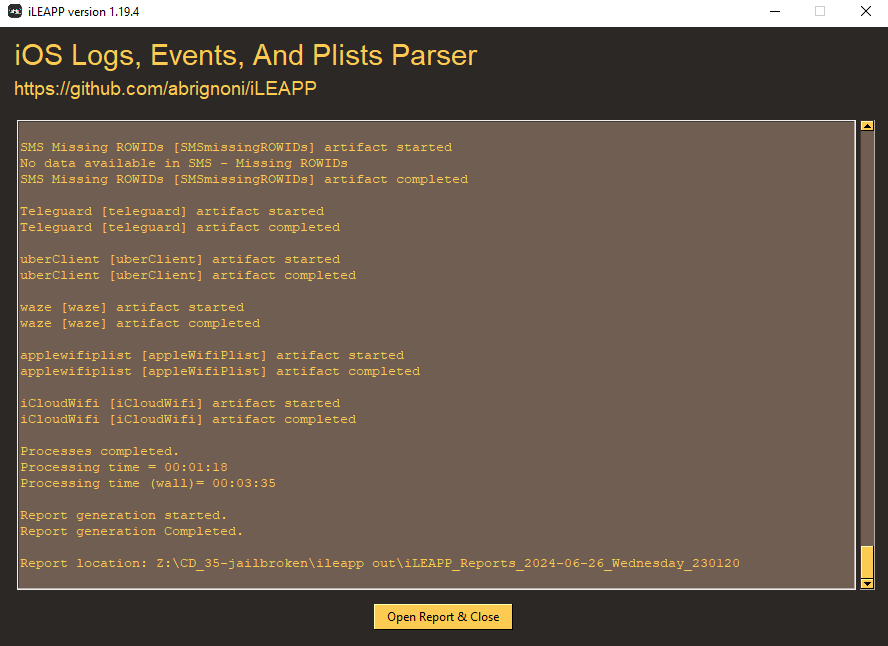
To make our life easier, we will have to use iLEAPP(iOS Logs, Events, And Plists Parser) to grab some keys information for us
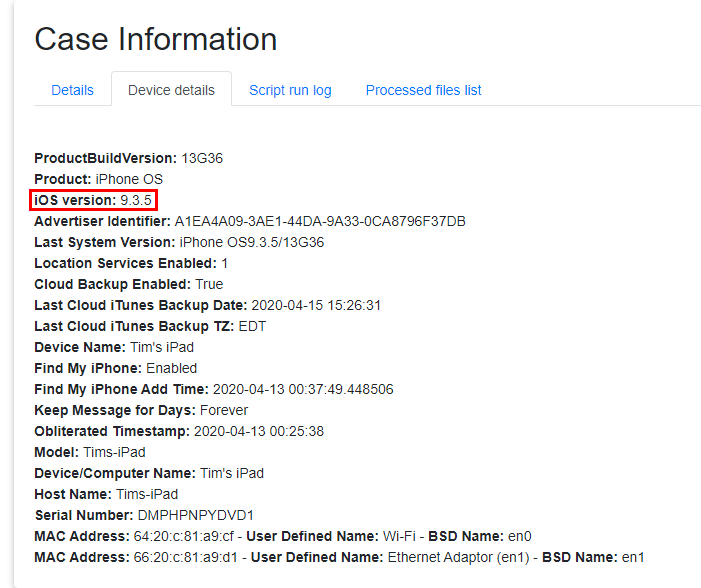
Which including Device details of this device
9.3.5
Q2: Who is using the iPad? Include their first and last name. (Two words)
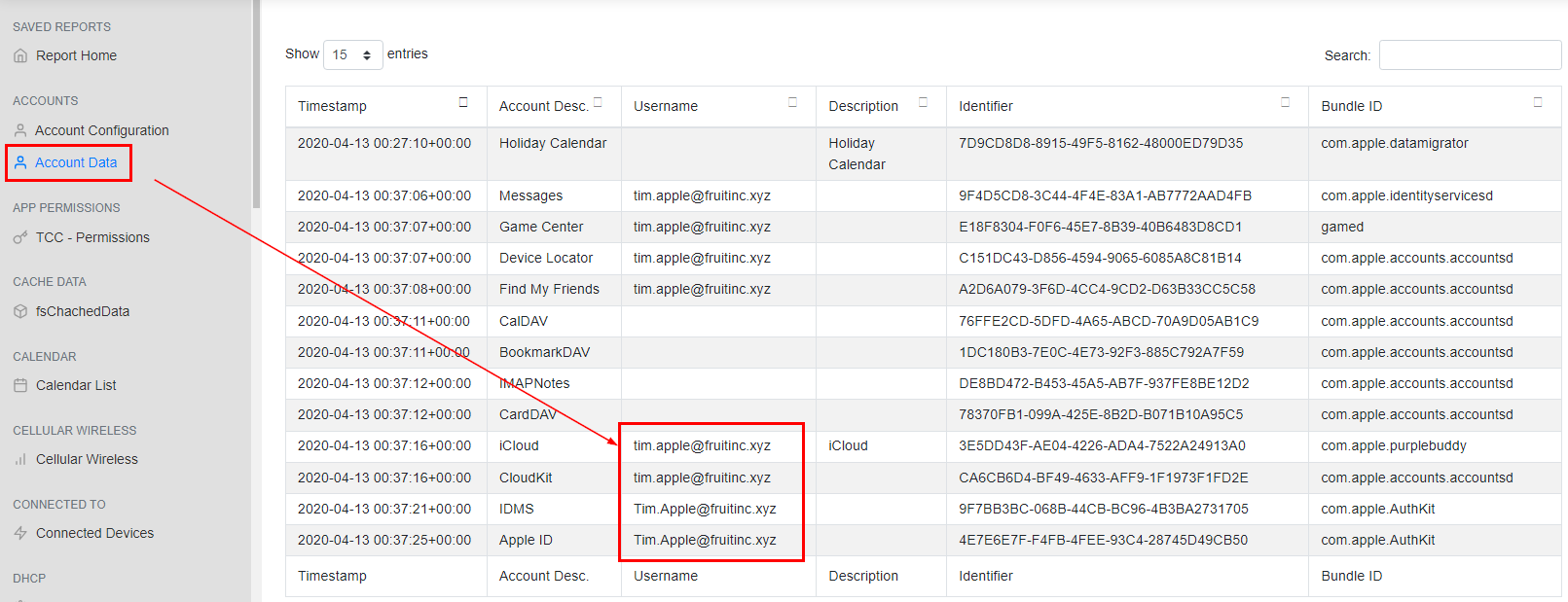
On "Account Data", we can see the username that was used on this device which indicates user's first and last name
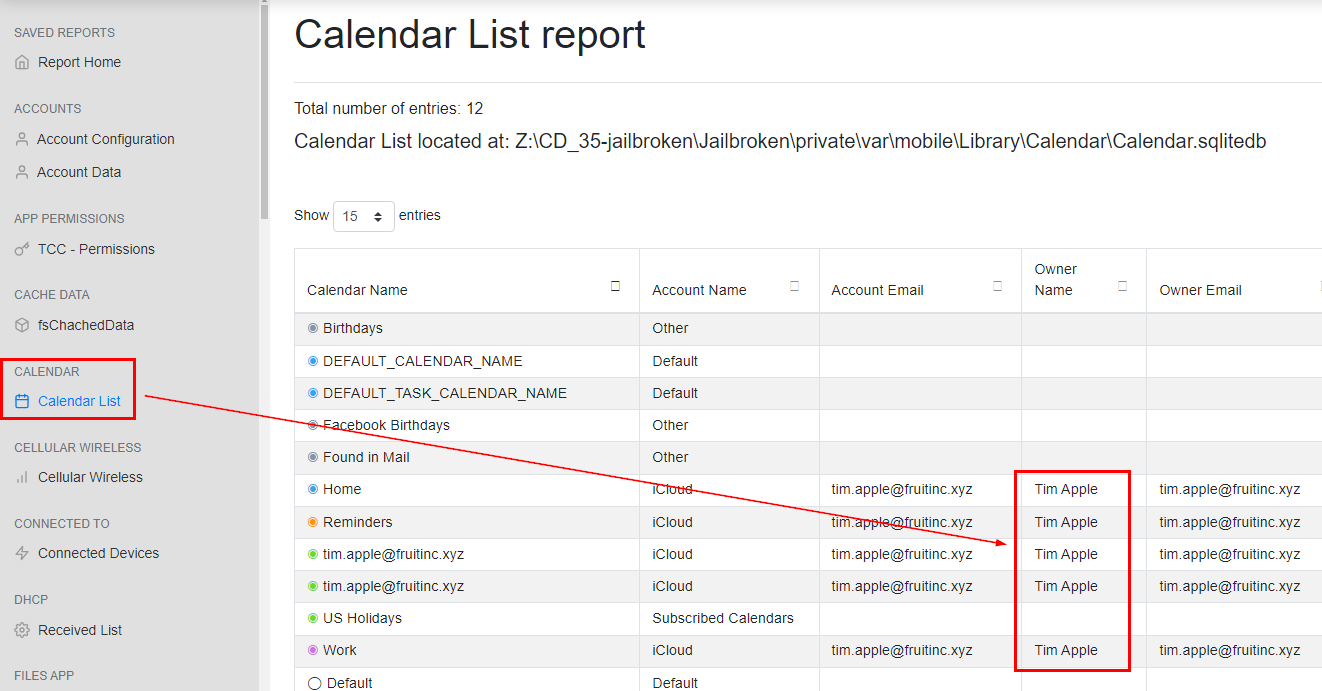
Then we can confirm this by open "Calendar List"
Tim Apple
Q3: When was the last time this device was 100% charged? Format: 01/01/2000 01:01:01 PM
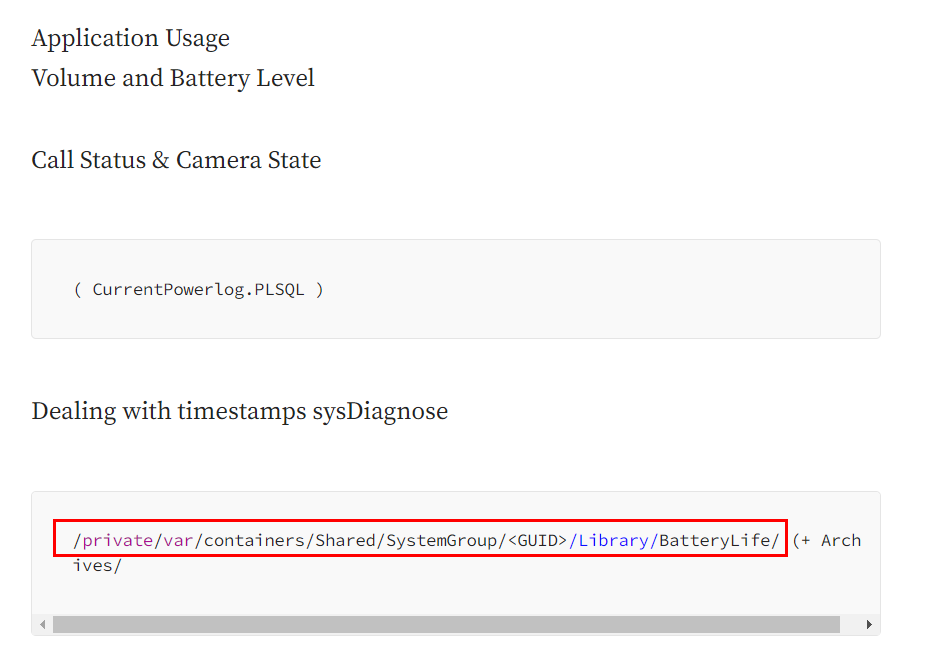
There are sevaral iOS forensics cheetsheet online that might be helpful for this investigation and from this Medium blog we can see that we can get an information about Battery Level from CurrentPowerLog.PLSQL
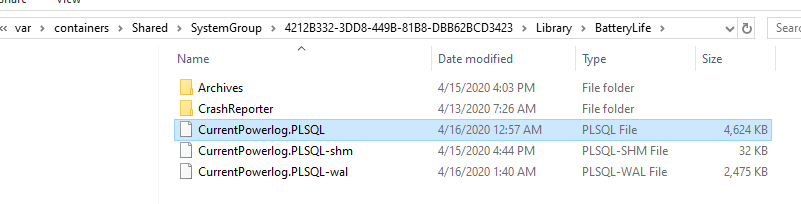
Which could be located in \Jailbroken\private\var\containers\Shared\SystemGroup\4212B332-3DD8-449B-81B8-DBB62BCD3423\Library\BatteryLife
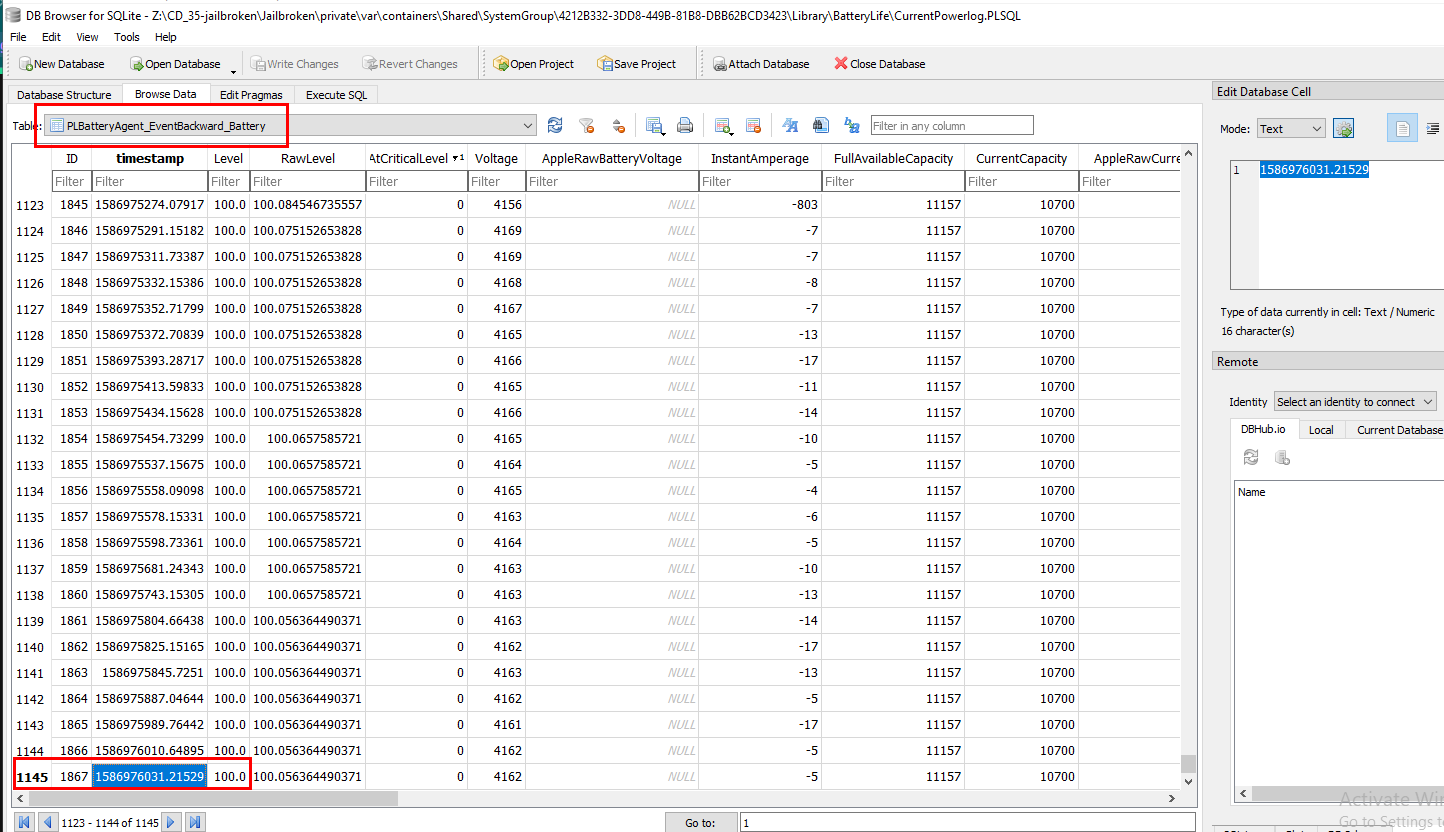
After open this file with DB Browser for SQLite, go to PLBatteryAgent_EventBackward_Battery table then go to the last row which we will see that this is the last time this device was 100% charged but we will have to convert UNIX timestamp to UTC first
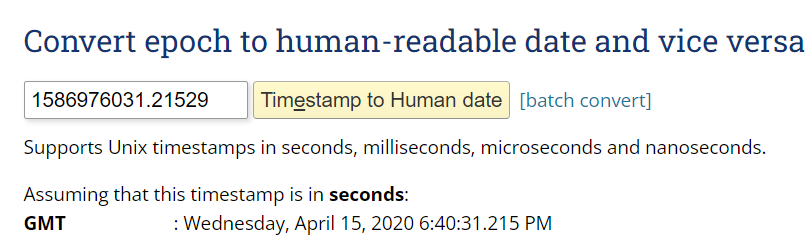
We can easily do this by using https://www.epochconverter.com/
04/15/2020 06:40:31 PM
Q4: What is the title of the webpage that was viewed the most? (Three words)
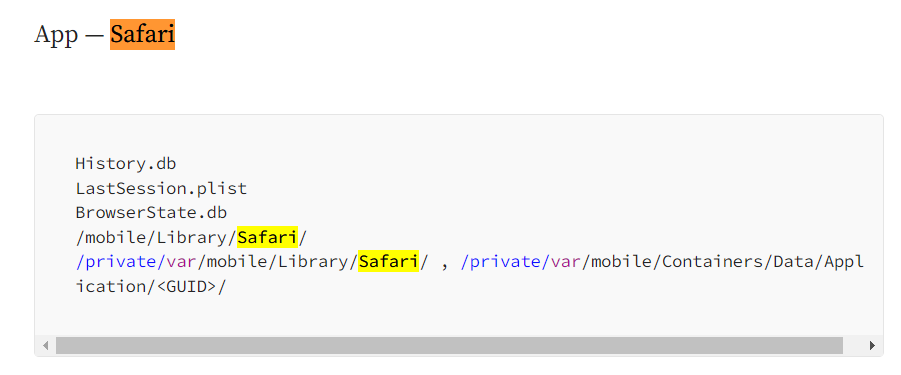
From the same cheatsheet, we will have to find one of these files to determine which webpage was visited the most
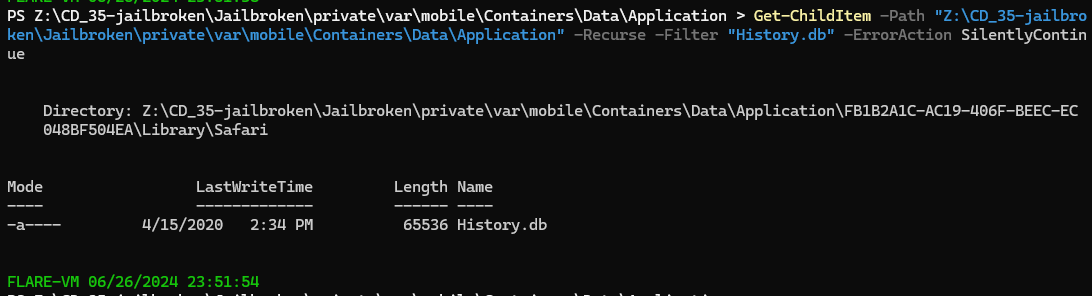
First, lets find history file with Get-ChildItem -Path "Z:\CD_35-jailbroken\Jailbroken\private\var\mobile\Containers\Data\Application" -Recurse -Filter "History.db" -ErrorAction SilentlyContinue then we can see that it was located in \Jailbroken\private\var\mobile\Containers\Data\Application\FB1B2A1C-AC19-406F-BEEC-EC048BF504EA\Library\Safari
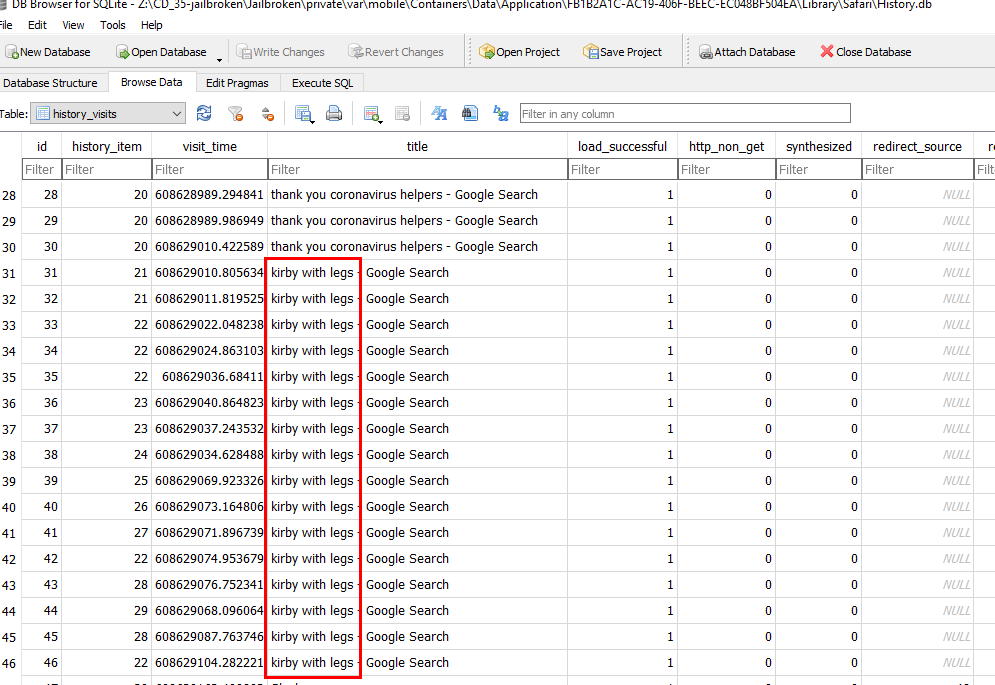
Using DB Browser of SQLite to open this file and open history_visits table which we will see that this google search was visited the most
kirby with legs
Q5: What is the title of the first podcast that was downloaded?
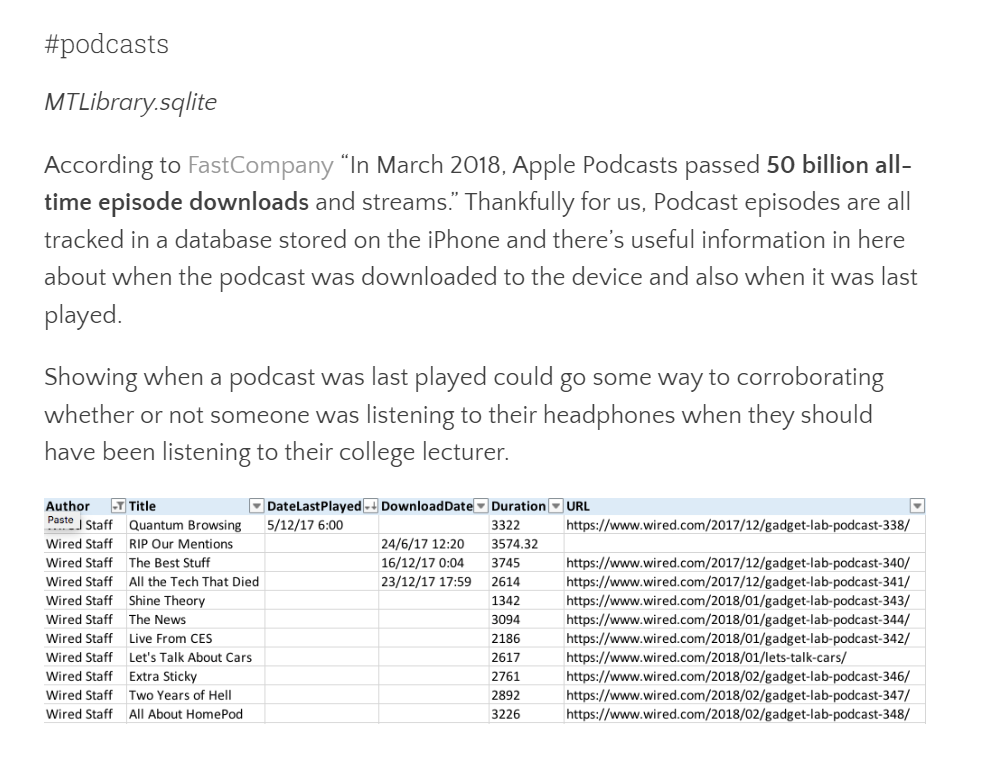
After some googling with "iOS podcast forensics", It landed me with https://salt4n6.com/tag/podcasts/ and now we know which file we are after
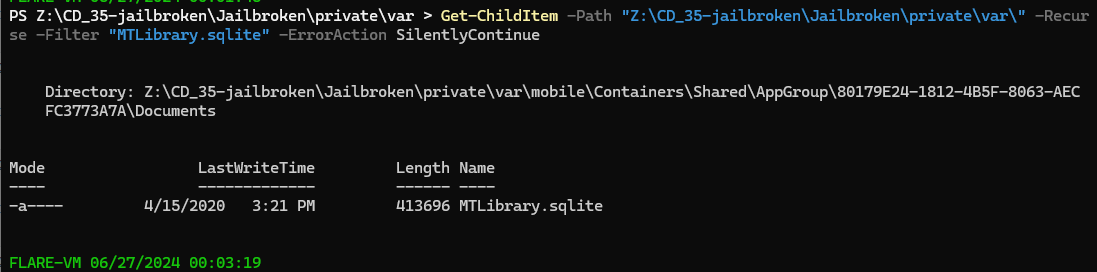
So lets use Get-ChildItem -Path "Z:\CD_35-jailbroken\Jailbroken\private\var\" -Recurse -Filter "MTLibrary.sqlite" -ErrorAction SilentlyContinue to find where this file is located and it returns with \Jailbroken\private\var\mobile\Containers\Shared\AppGroup\80179E24-1812-4B5F-8063-AECFC3773A7A\Documents
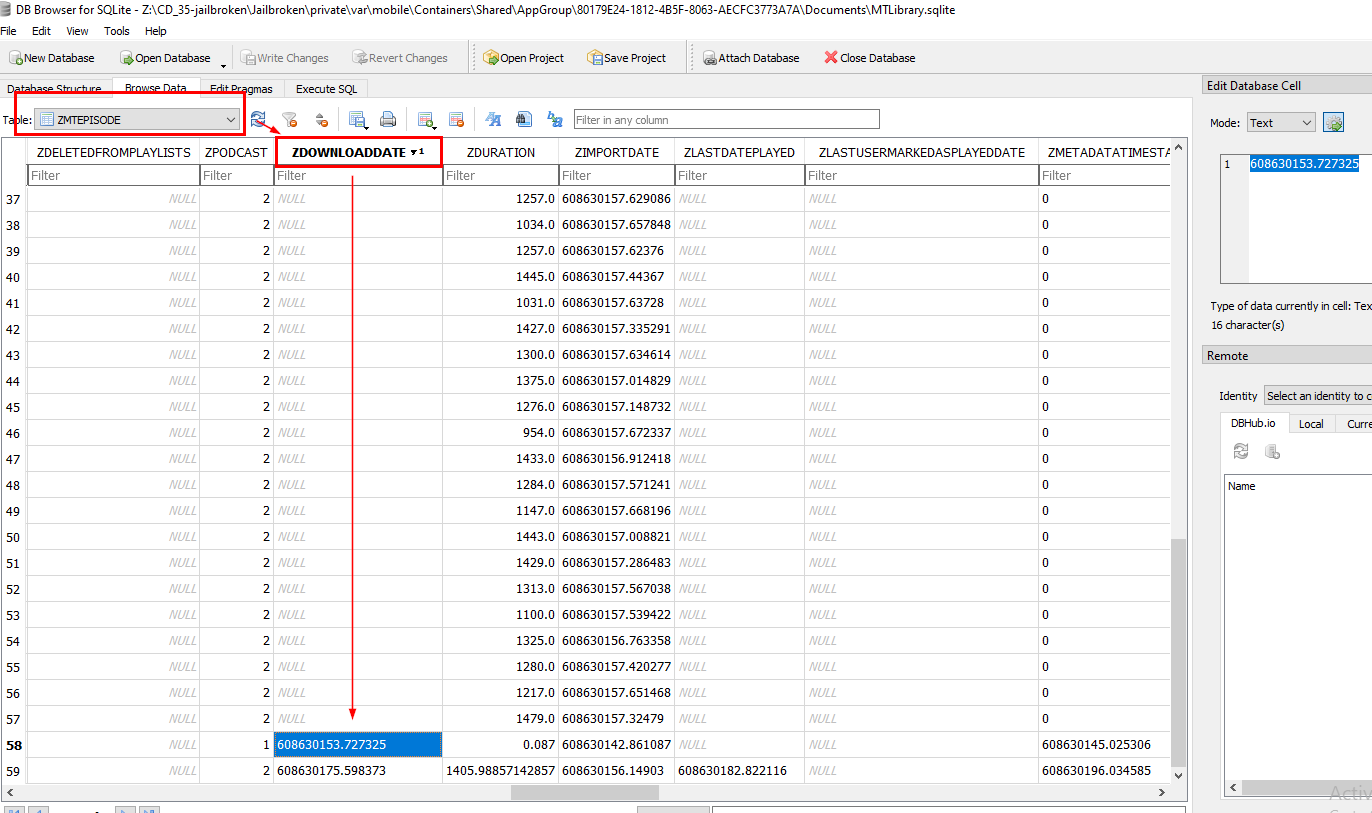
Using DB Browser for SQLite, and go to ZMTEPISODE table and then we will see there is a column for download time which is ZDOWNLOADDATE so we can sort it to see how many podcasts were downloaded and when
We will eventually see that only 2 podcasts were downloaded and here is the timestamp of the first podcast that was downloaded
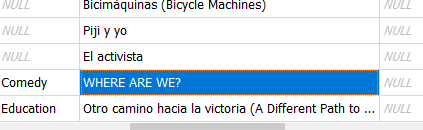
Scroll right for the title of this podcast to obtain an answer
WHERE ARE WE?
Q6: What is the name of the WiFi network this device connected to? (Two words)
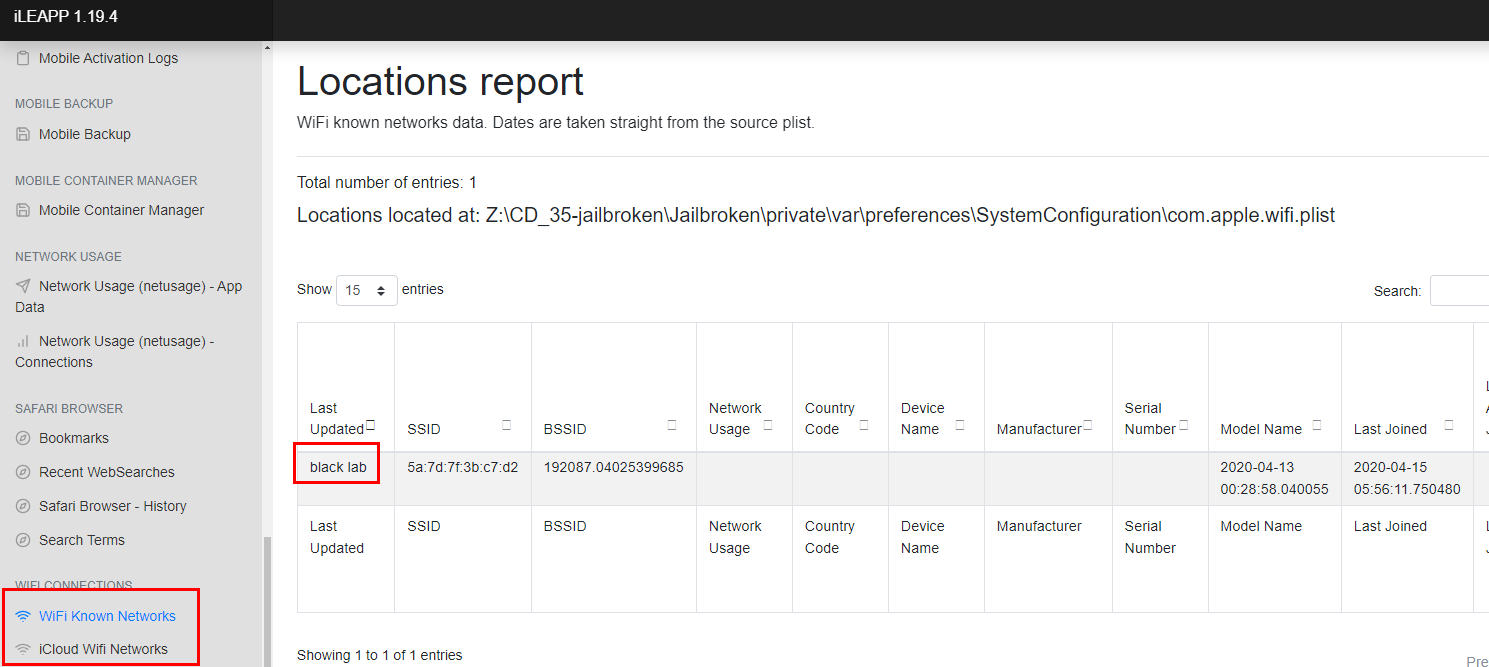
Back to iLEAPP report, go to "WIFI Connections" and here we can choose either of these reports to obtain this answer
black lab
Q7: What is the name of the skin/color scheme used for the game emulator? This should be a filename.
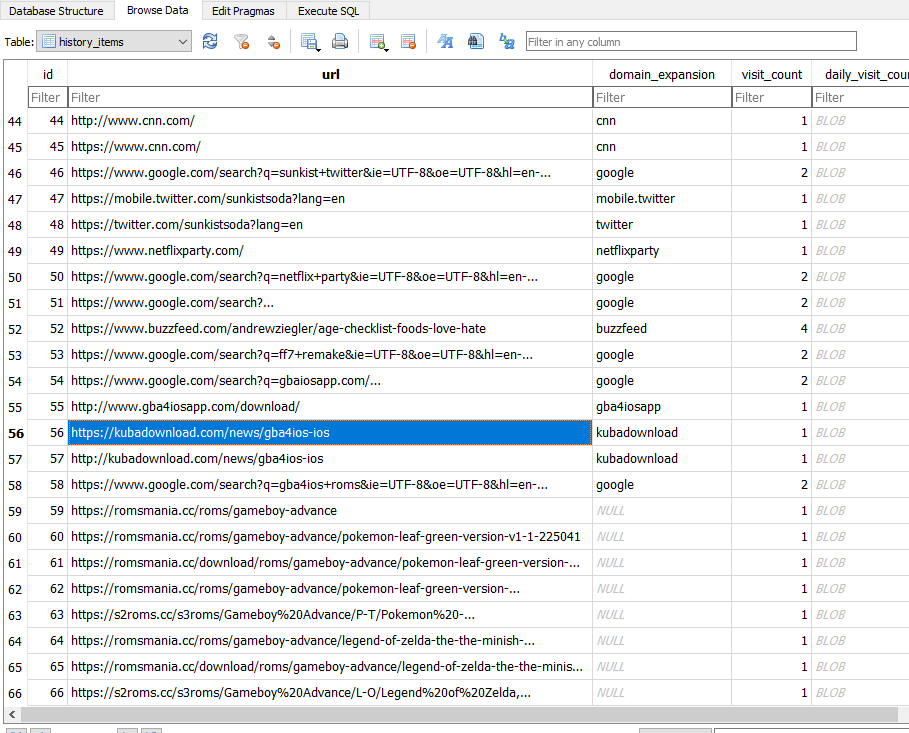
From history file, we can see that user searched for iOs jailbreak through and then download gameboy emulator and 2 games after that and here we can see which game emulator that was downloaded

Go to Application State DB report on iLEAPP to find installed location for this app

We will have to dig a little bit of GBA4iOS skin and from this tutorials, we can see that it has to be either .gbaskin or .gbcskin
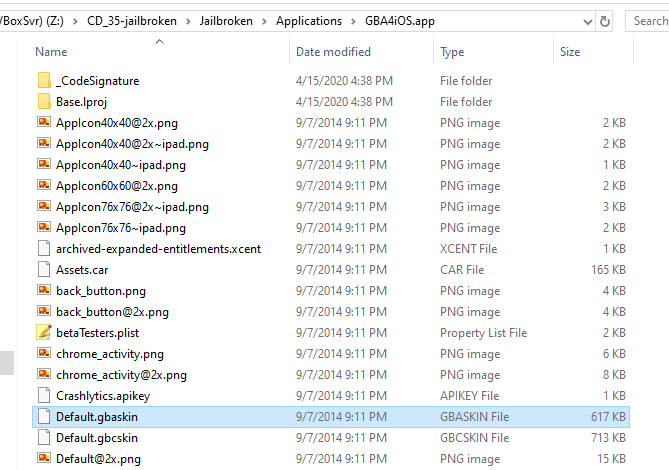
We got both here but the answer of this question is the one with .gbaskin extension
Default.gbaskin
Q8: How long did the News App run in the background?
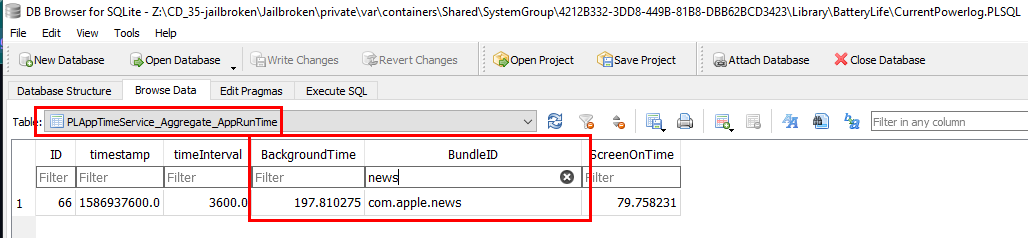
We will have to go back to CurrentPowerlog.PLSQL file and then go to PLAppTimeService_Aggregate_AppRunTime which stores information about runtime of each applications including news
197.810275
Q9: What was the first app download from AppStore? (Two words)
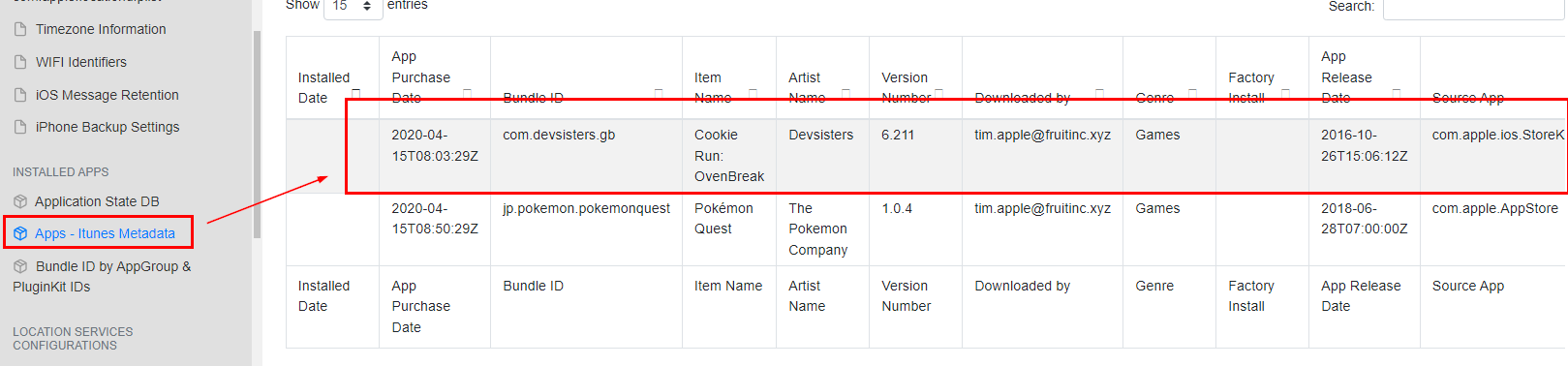
Go back to "Apps - itunes Metadata" report from iLEAPP then we can see that there are 2 apps that were downloaded from AppStore, first is Cookie Run and second is Pokemon Quest
Cookie Run
Q10: What app was used to jailbreak this device?
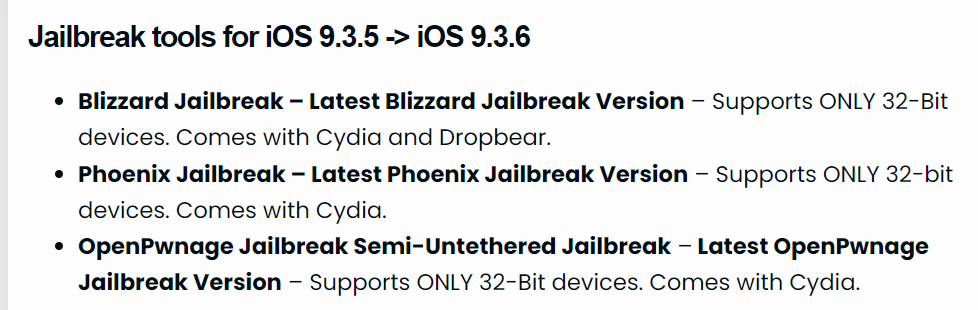
We will have to find jailbreak app for this iOS version and lucky for us that this website already collects most of jailbreaking apps for each iOS version
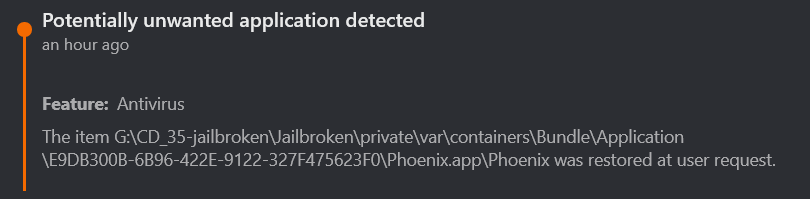
We have 3 candidates but as soon as I decompressed zip file to investigated, BitDefender already spolling me which one of them was installed on this device

To solve this as it was intented, we will have to find it in "Application State DB" report in iLEAPP
Phoenix
Q11: How many applications were installed from the app store?
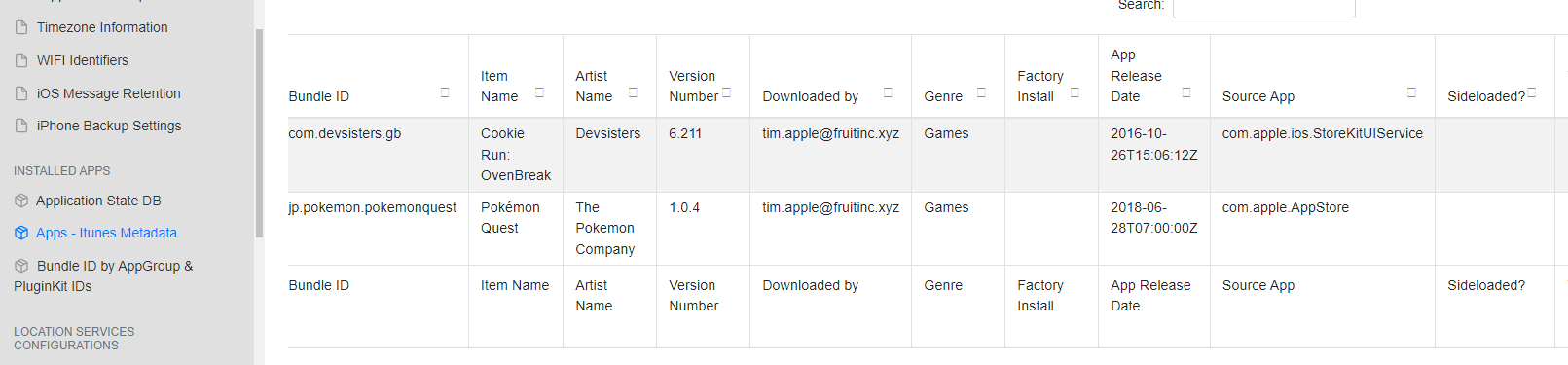
2
Q12: How many save states were made for the emulator game that was most recently obtained?
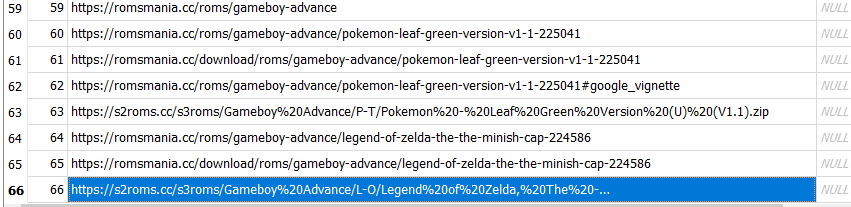
We already know that there are 2 games that were downloaded and installed on this device
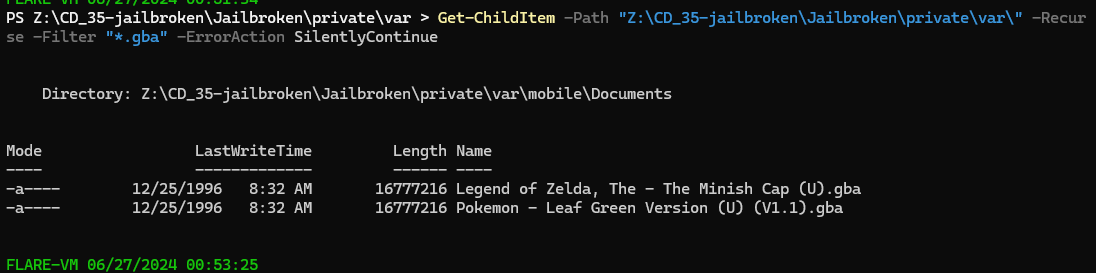
We will have to use Get-ChildItem -Path "Z:\CD_35-jailbroken\Jailbroken\private\var\" -Recurse -Filter "*.gba" -ErrorAction SilentlyContinue to find where the location of them (.gba is a Game Boy Advance ROM file. It's an exact copy of a GBA video game) which will lead us to \Jailbroken\private\var\mobile\Documents
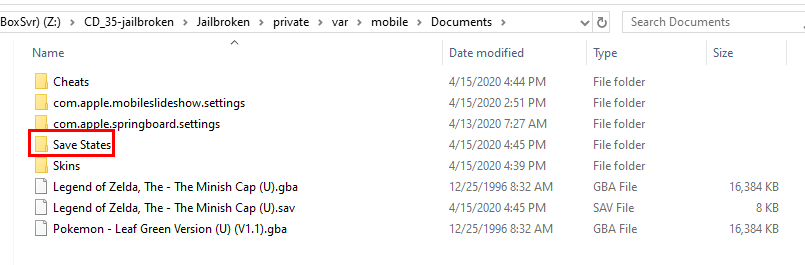
Going inside this folder then we can see there is a Save States folder here and as we can expected that it should have both save states for both game
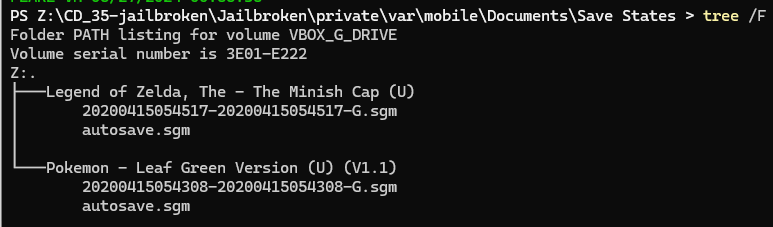
But each game and only 1 save state, we didn't have to account which game was installed last anymore
1
Q13: What language is the user trying to learn?
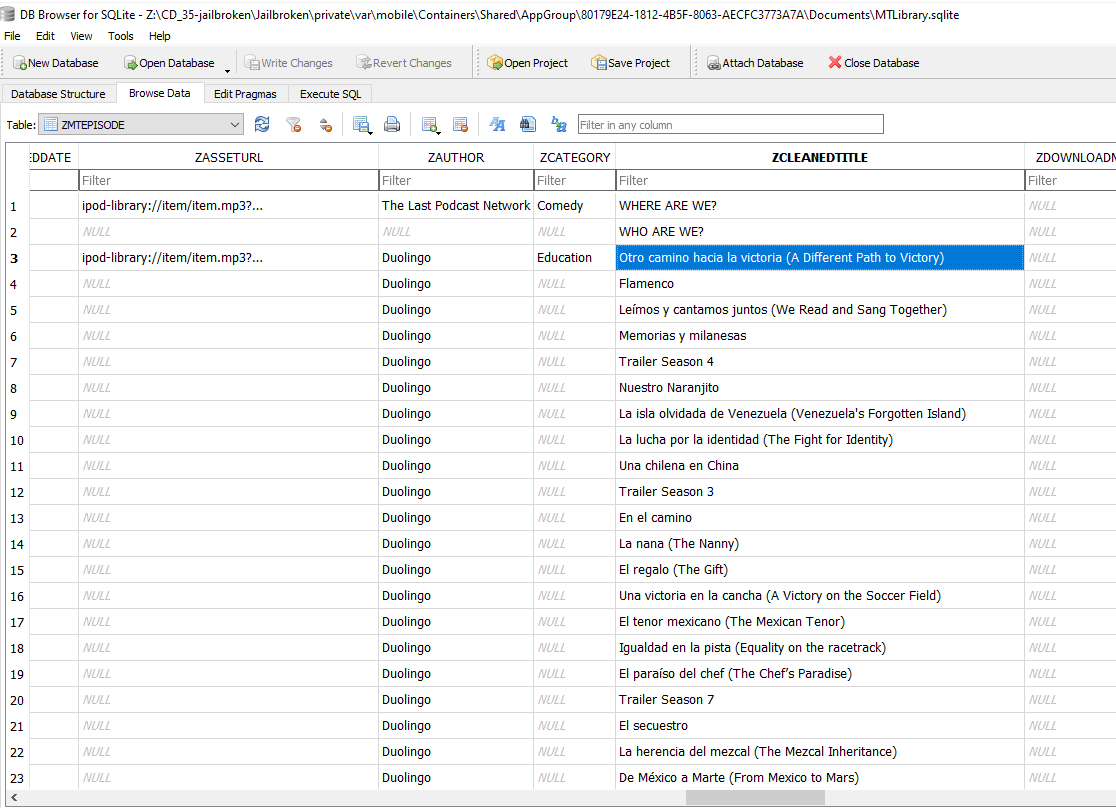
From the podcast artifact we investigated, we can see that user also listened to Duolingo podcasts
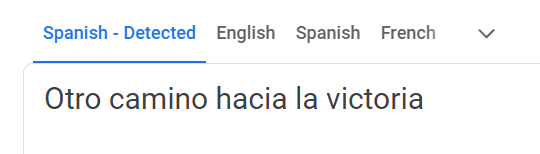
Put any of them inside language detection tool then we will come to the same conclusion
Spanish
Q14: The user was reading a book in real life but used their IPad to record the page that they had left off on. What number was it?
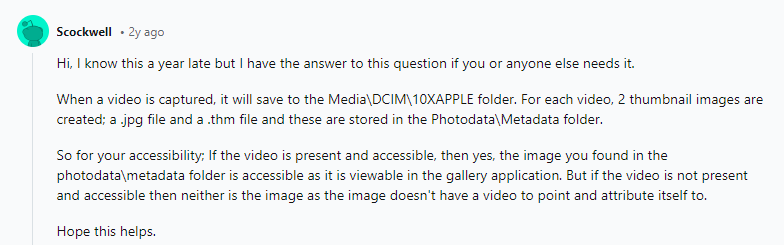
I did some googling for a folder that stores recording videos and this reddit user generously telling us that we will have to go to \private\var\mobile\Media\DKIM\10XAPPLE
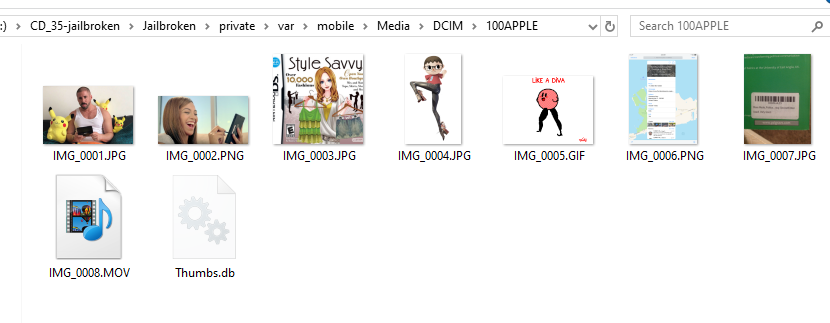
Close enough, we have 100APPLE folder that have 1 recording video inside
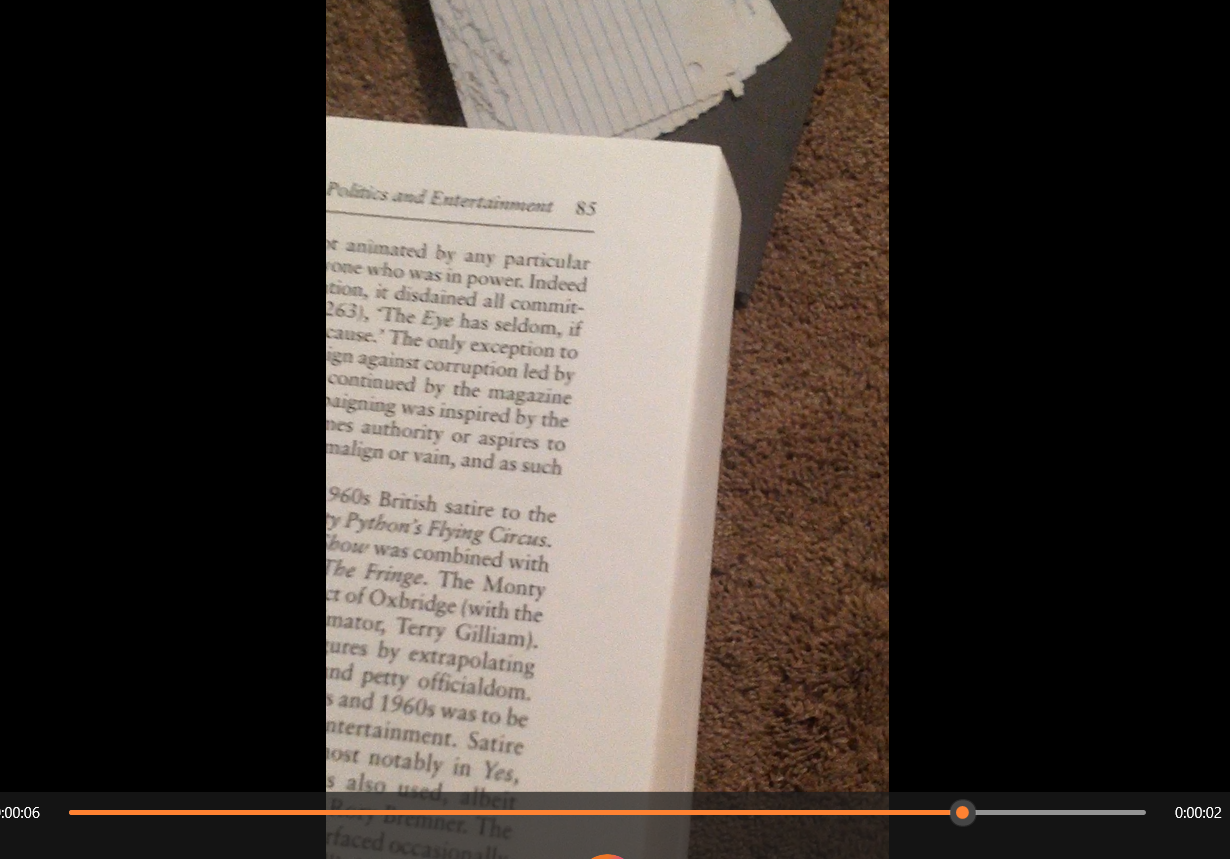
User turned so many pages but eventually stopped at page 85 which is the answer of this question
85
Q15: If you found me, what should I buy?
I wanted to find all files that contains string "buy" but it took too long so I checked for hint which telling me that we need to find for any notes
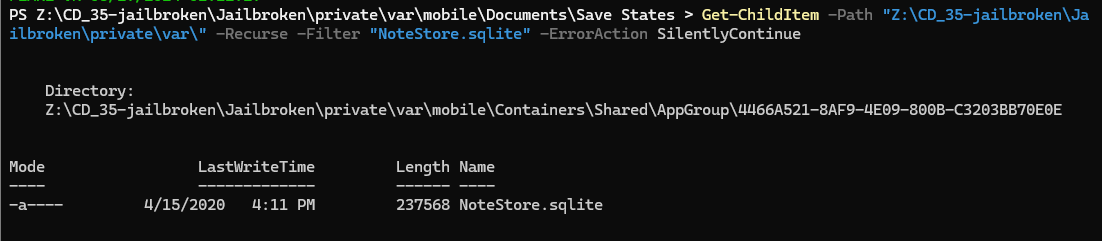
Lets find where note database is located with Get-ChildItem -Path "Z:\CD_35-jailbroken\Jailbroken\private\var\" -Recurse -Filter "NoteStore.sqlite" -ErrorAction SilentlyContinue which will lead us to \Jailbroken\private\var\mobile\Containers\Shared\AppGroup\4466A521-8AF9-4E09-800B-C3203BB70E0E
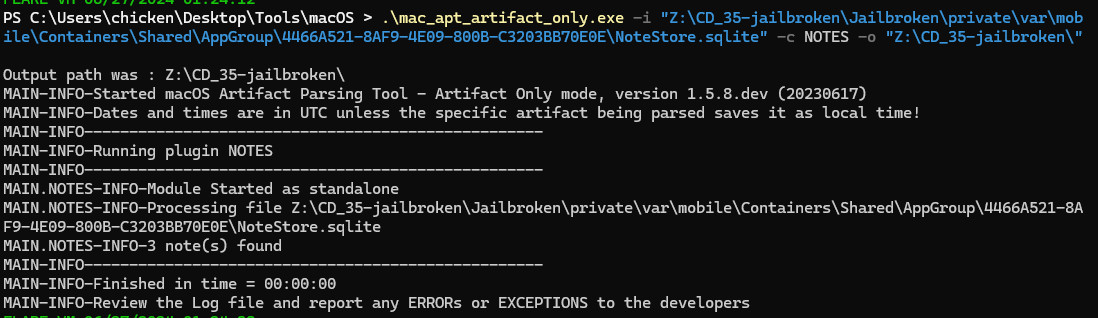
For this artifact, we could not use DB Browser for SQLite to read notes but we will have to use mac_apt with NOTES plugin like this .\mac_apt_artifact_only.exe -i "Z:\CD_35-jailbroken\Jailbroken\private\var\mobile\Containers\Shared\AppGroup\4466A521-8AF9-4E09-800B-C3203BB70E0E\NoteStore.sqlite" -c NOTES -o "Z:\CD_35-jailbroken\"

Go to output folder and open Notes.csv, then we can see that "we" should buy Crash Bandicoot game for PS4
Crash Bandicoot Nitro-Fueled Racing
Q16: There was an SMS app on this device's dock. Provide the name in bundle format: com.provider.appname

Go to "Application State DB" report from iLEAPP then find for SMS app then we will eventually find the name in bundle format
com.apple.MobileSMS
Q17: A reminder was made to get something, what was it?
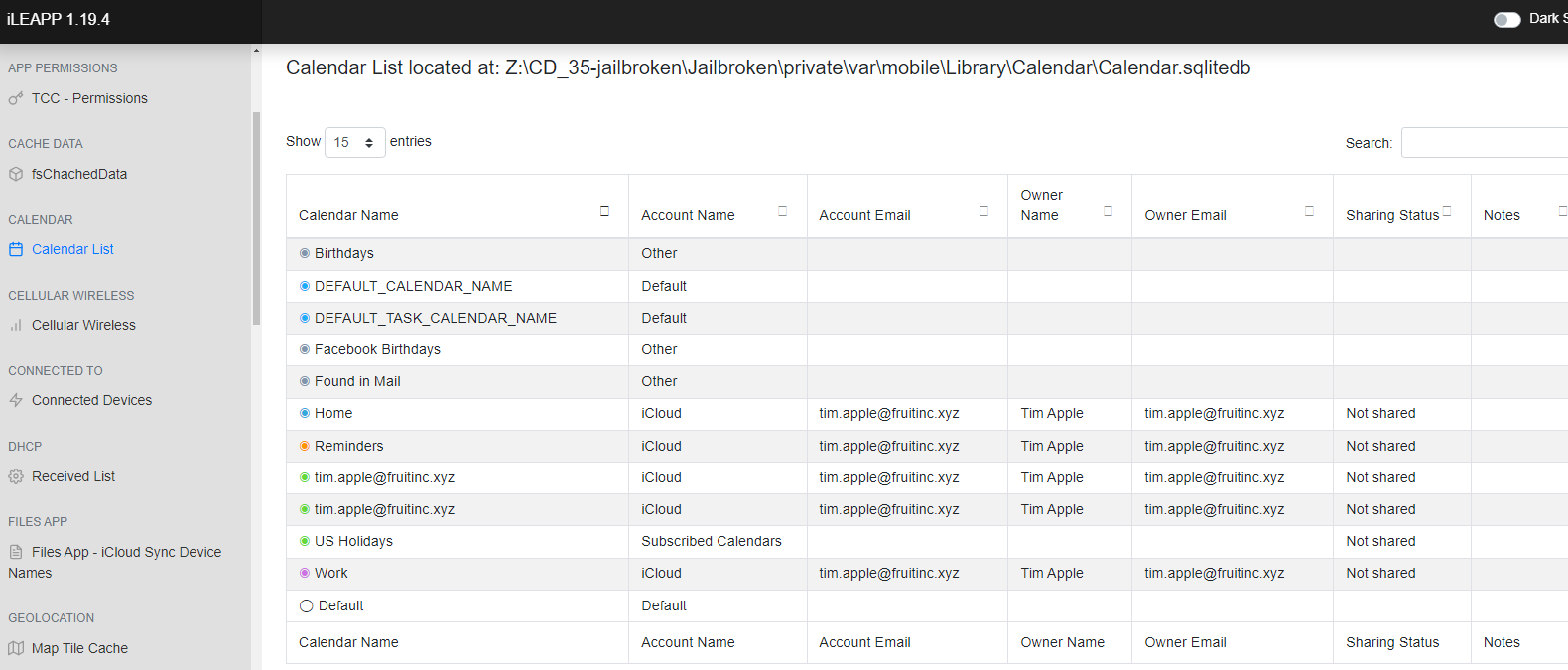
There are two main things that people use for reminders: Notes and Calendar. However, we already parsed Notes and found nothing, and the "Calendar List" report did not give us anything either.
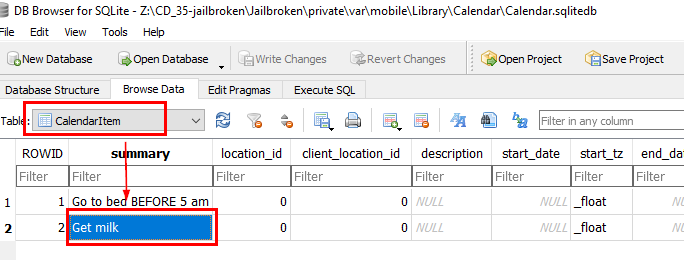
We have to browse Calendar database directly which located in \Jailbroken\private\var\mobile\Library\Calendar and after open this database, go to CalendarItem then we will see 2 reminders here
milk
https://cyberdefenders.org/blueteam-ctf-challenges/achievements/Chicken_0248/jailbroken/